After K2 Reconfigure the WindowsSTS site throw error HTTP Error 500.19 - Internal Server Error
After reconfiguring K2 using the Setup Manager, your K2 websites might encounter an "HTTP Error 500.19 - Internal Server Error." This is normal if you applied a Cumulative Update or Fix Pack before the reconfigure and haven't reapplied it afterwards.
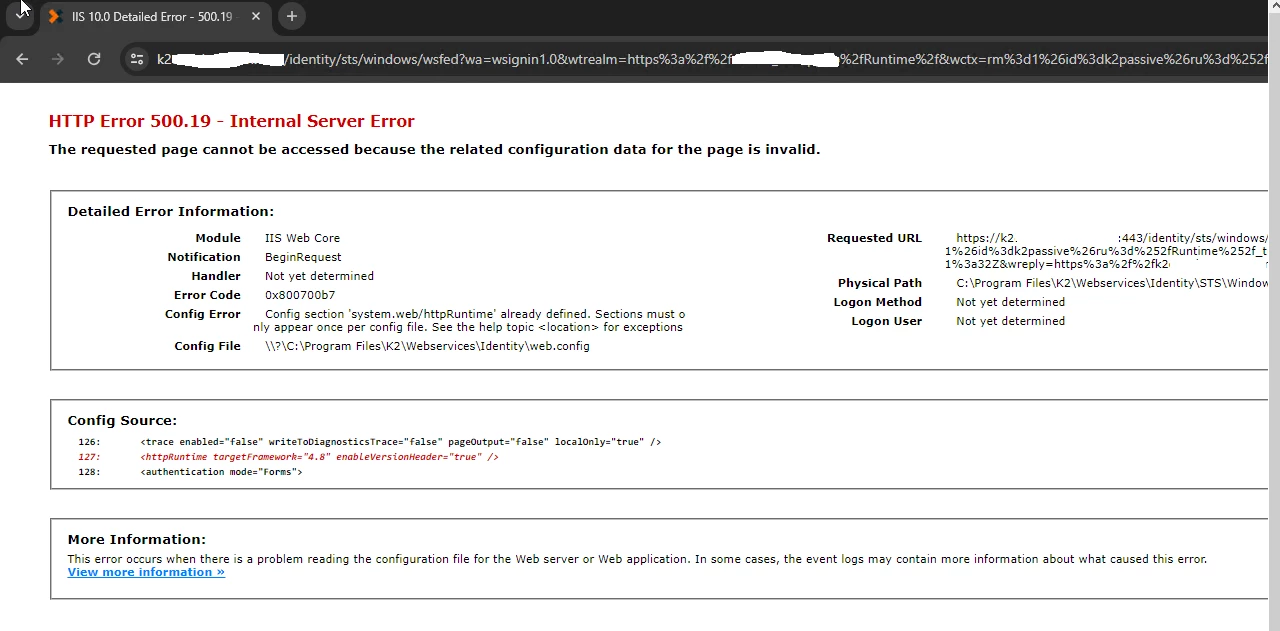
Why this happens:
- From Fix Pack 17 onwards, K2 requires reapplying the latest Cumulative Update or Fix Pack after running a reconfigure if you previously installed it.
- If you skip this step, users won't be able to access K2 Designer, Manager, Workspace, or Runtime, and you'll see the "HTTP Error 500.19" message.
How to fix the error:
Simply reinstall the latest Cumulative Update or Fix Pack after successfully completing the reconfigure. This will resolve the issue and allow users to access K2 again.
Additional information:
You can find more details about this behavior in the Nintex documentation here: https://community.nintex.com/nintex-automation-cumulative-updates-and-fix-packs-16/k2-five-5-6-fix-packs-2431

Comments
Post a Comment